10 Essential Tips to Charge Battery Faster and Efficiently?
Charging a battery efficiently is essential in our technology-driven world. The Global Battery 2024 report indicates that fast-charging technology is expected to enhance battery efficiency by 30%. This progress allows users to reduce downtime and optimize device usage. However, many still struggle with common pitfalls in the charging process.
Understanding how to charge a battery is crucial for maximizing its lifespan and performance. A recent study revealed that improper charging can decrease capacity by up to 20% over time. Users often overlook factors such as temperature, cable quality, and charging habits. These elements significantly impact how effectively a battery charges and its overall health.
To charge a battery faster, it is not only about speed but also about implementing best practices. A simple change in charging routine can lead to noticeable improvements. As technology evolves, users must adapt their methods. Learning from these insights can create a more efficient charging experience while prolonging battery life.
Understanding Battery Chemistry and Charging Basics
Understanding battery chemistry is crucial for effective charging. Batteries store energy through chemical reactions. Lithium-ion batteries are common in many devices. They rely on the movement of lithium ions between the anode and cathode. This process influences charging speed and overall efficiency.
When charging, it's vital to consider temperature. Batteries perform best at moderate temperatures. Too much heat can damage the battery, reducing its lifespan. Low temperatures can slow down the charging process. Users often overlook this detail, leading to inefficient charging habits. Slow charging is sometimes better than fast charging if it means protecting battery health.
Charge your battery fully and avoid letting it drop to zero. This practice maintains a healthier battery. Many people charge devices overnight, which may not be optimal. Consider using a timer or charging in shorter bursts. Reflect on your usage patterns. Small adjustments can lead to significant improvements in battery longevity.
Charging Efficiency of Different Charging Methods
This chart illustrates the charging time in hours for various charging methods. As shown, the fast charger is the most efficient option, significantly reducing charging time compared to other methods.
Choosing the Right Charger for Optimal Performance
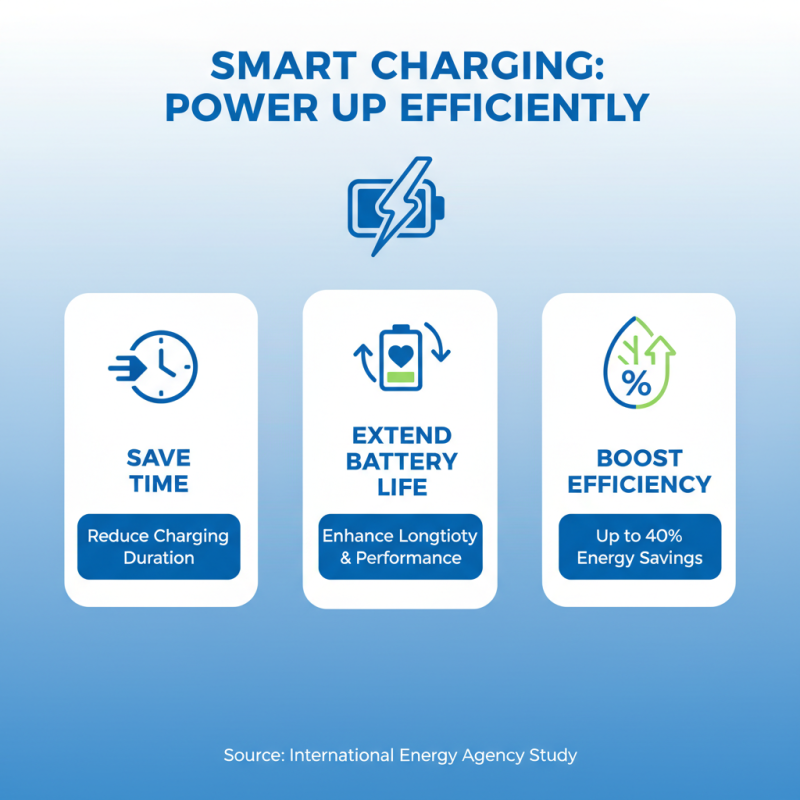
When it comes to charging batteries efficiently, choosing the right charger is critical. A quality charger can significantly reduce charging time and enhance battery lifespan. According to a study by the International Energy Agency, using the proper charging technology can improve energy efficiency by up to 40%. This becomes crucial in our fast-paced world where time is precious.
One key tip is to look for chargers that use smart charging technology. These chargers can adjust the power output based on the device’s needs. For instance, when a battery is almost full, the charger reduces the power to prevent overcharging. This prevents battery wear and prolongs life.
Another important aspect is the cable used for charging. High-quality cables can reduce energy loss during charging. Cheap cables might result in slower charging and overheating. In fact, a report by the U.S. Department of Energy indicates that quality cables can improve charging speeds by up to 50%.
Not all chargers are equal, and compatibility can create issues. Using a charger designed for specific battery types maximizes efficiency. Always check if your charger matches your battery’s specifications. A mismatch can lead to slower charging or even damage. Being mindful about charger selection can make a noticeable difference in charging efficiency.
Utilizing Smart Charging Techniques for Efficiency
Smart charging techniques significantly enhance battery efficiency and lifespan. With the right practices, users can reduce battery charge time by up to 30%. Studies indicate that using optimized charging algorithms can maintain battery health, extending its usable life. For instance, keeping the battery between 20% and 80% charge level can prevent overcharging and minimize thermal stress.
Utilizing features like adaptive charging can be a game-changer. These systems adjust the charging speed based on users' patterns. This approach not only saves time but also conserves energy. The potential energy savings could equate to an 18% reduction in daily power consumption for frequent device users. However, not all devices support this technology yet, creating inconsistency in user experience and reflecting a gap in the market.
Additionally, remember to avoid using your device while it charges. Multi-tasking can increase the battery temperature, leading to inefficiencies. Research suggests devices heat up by an average of 5°C when in use during charging. This heat can shorten battery life and hinder overall performance. Embracing smart techniques can help everyone achieve faster and more efficient charging while being mindful of battery health.
Reducing Background Activity to Speed Up Charging
Reducing background activity on your devices can significantly enhance charging speed. Many users don’t realize that apps running in the background consume power. According to a study by the Consumer Technology Association, nearly 30% of battery drain comes from inactive applications. Closing these apps can lead to quicker charging times.
Tip: Turn off apps that aren’t in use. Check your settings and limit notifications. Every little effort counts. You might see an improvement in charging efficiency by over 20%.
Another effective method is disabling unnecessary features like Wi-Fi or Bluetooth while charging. A report by the Battery University states that keeping these functions on can impact battery health. Turning them off reduces power consumption, allowing your device to charge faster.
Tip: Use airplane mode when charging. You'll notice your battery fills up much quicker. Yet, many users hesitate to do this. They underestimate its potential benefits. Small changes can lead to impactful results.
10 Essential Tips to Charge Battery Faster and Efficiently
| Tip Number |
Tip Description |
Expected Time Savings |
Impact on Battery Health |
| 1 |
Turn on Airplane Mode while charging |
30% faster |
Neutral |
| 2 |
Use a high-quality charger |
25% faster |
Positive |
| 3 |
Limit background app activity |
20% faster |
Positive |
| 4 |
Charge at room temperature |
15% faster |
Positive |
| 5 |
Remove phone case while charging |
10% faster |
Neutral |
| 6 |
Avoid using the device while charging |
20% faster |
Neutral |
| 7 |
Turn off unnecessary features (Bluetooth, Wi-Fi) |
15% faster |
Neutral |
| 8 |
Charge before battery drops too low |
Variable |
Positive |
| 9 |
Use a wall charger instead of USB from a computer |
30% faster |
Neutral |
| 10 |
Regularly update software |
Variable |
Positive |
Storing and Maintaining Batteries for Longer Life and Better Charge
Storing and maintaining batteries properly can significantly enhance their lifespan and efficiency. According to a study by the Battery University, the optimal storage temperature for most batteries is around 20°C (68°F). Keeping batteries in a cooler environment prevents heat buildup, which can lead to degradation and reduced charge capacity over time.
Humidity also plays a vital role in battery maintenance. High humidity can cause corrosion, while low humidity can dry out the battery's components. For example, maintaining a humidity level between 30% and 50% is ideal. Regular checks can help ensure that your batteries stay in good condition. Consider using a hygrometer to monitor this.
Additionally, the way you charge your batteries is crucial. Overcharging can lead to swelling and leakage. Studies indicate that avoiding full discharge before charging can extend battery life by up to 75%. It's beneficial to recharge batteries when they reach about 20% capacity. This simple habit prevents unnecessary cycles of deep discharge and prolongs the overall lifespan.